


04 Nov How to Change a SIEBENSTER Roaster’s Temperature Sensing from 1-Degree to 0.1-Degree Increments
Contents
- 1 Default Setting: 1-Degree Increments
- 2 Basic Button Overview
- 3 How to Change the Temperature Sensing Increment from 1 Degree to 0.1 Degree
- 4 Correcting the Limit Temperature
- 5 Correcting the Ignition-Related Parameters for the Temperature Sensor
- 6 How to Change from 0.1-Degree to 1-Degree Increments
- 7 Artisan Settings
Default Setting: 1-Degree Increments
SIEBENSTER’s temperature sensing is set to 1-degree increments by default. However, you can very easily change it to 0.1-degree increments if needed.
Basic Button Overview
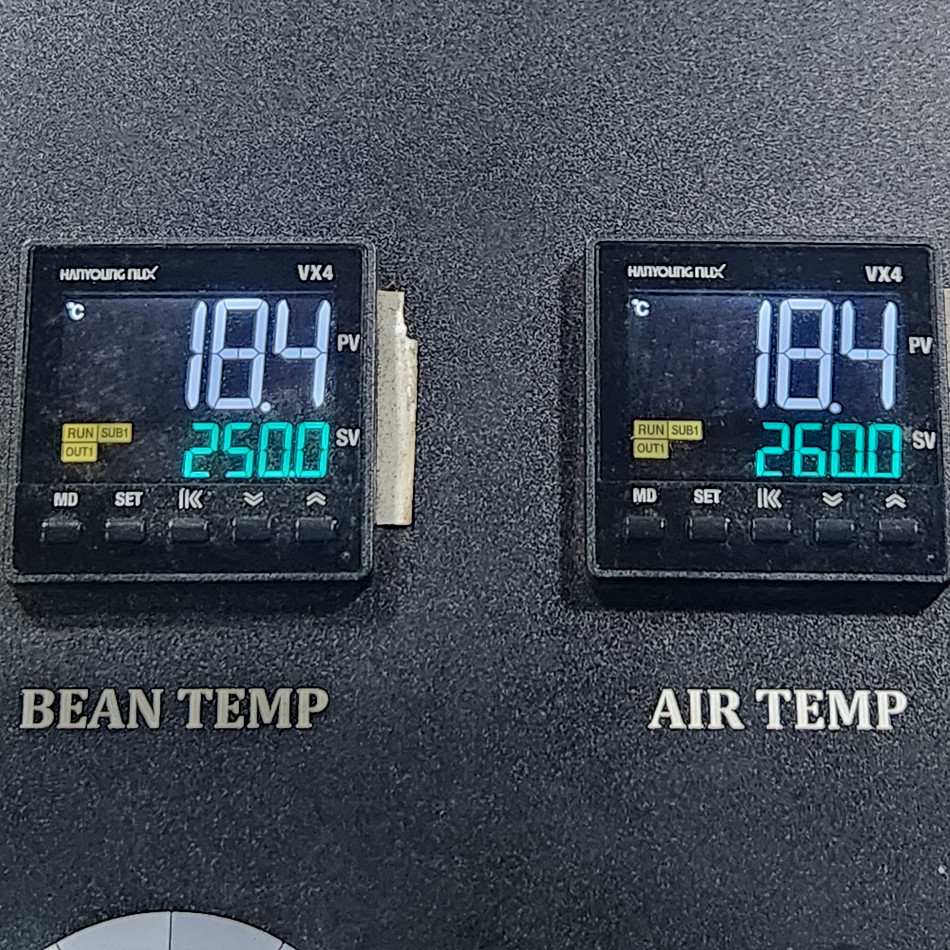
The buttons consist of MD, SET, Switch (digit shift), Down, and Up.
MD is the mode change / back button, SET is the change button, Switch is the digit-shift button, and Down / Up are the buttons that actually decrease or increase the value.
- Enter parameter change mode: Press the MD + SET buttons together for about 3 seconds.
- Exit parameter change mode: Press and hold the MD button for about 3 seconds.
The parameters are organized into a total of 9 groups, and each group offers a variety of settings.
(Caution) Please do not change any settings you are not familiar with.
How to Change the Temperature Sensing Increment from 1 Degree to 0.1 Degree
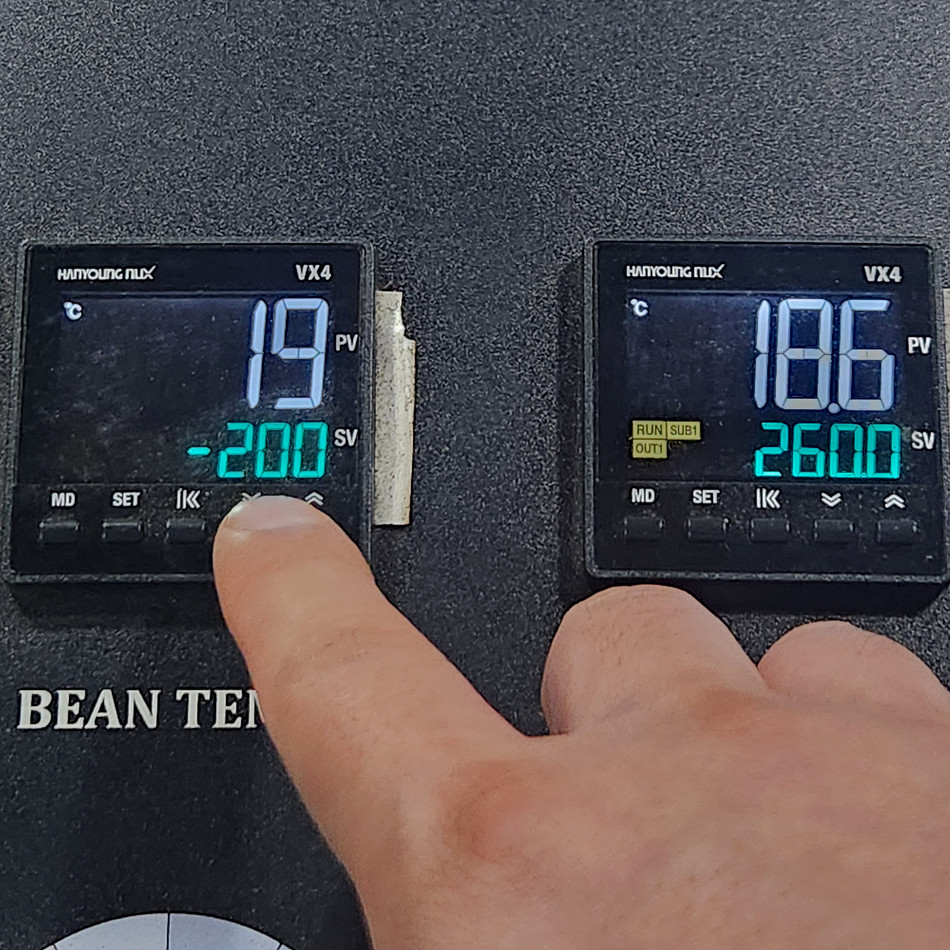
Let’s change the 1-degree-increment sensor on the right to 0.1 degree.
1. Press the MD + SET buttons for 3 seconds to enter parameter setting mode.
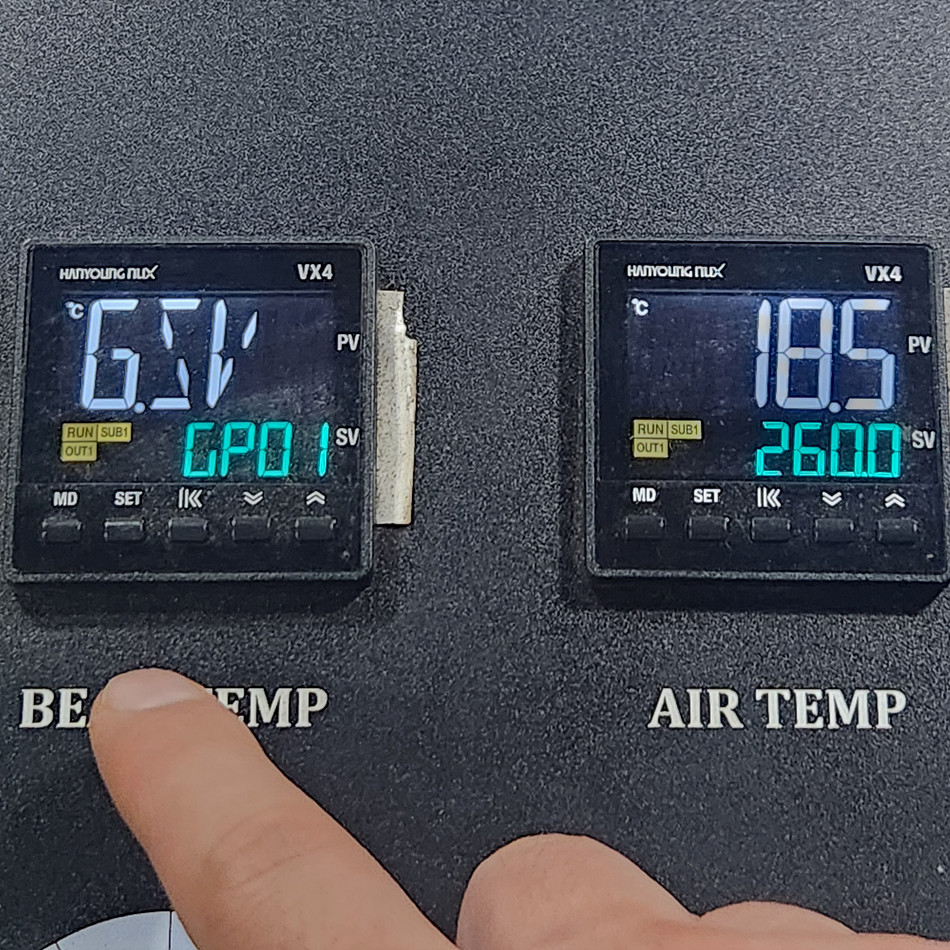
2. Use the Up/Down buttons to find GP09, then press SET to enter group 09.
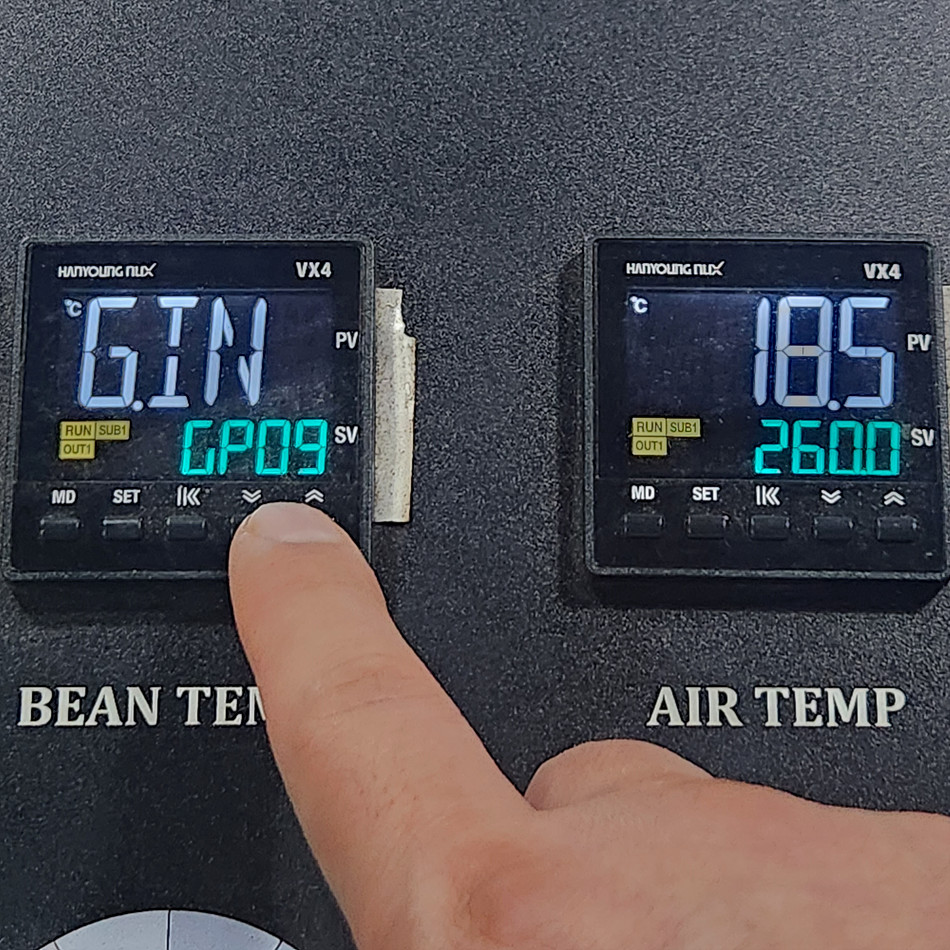
3. Change the value of the INP parameter from K0 to K1. (When you press the SET button, the value blinks, and you can change it with the Up/Down buttons. When finished, press the SET button again to save.)
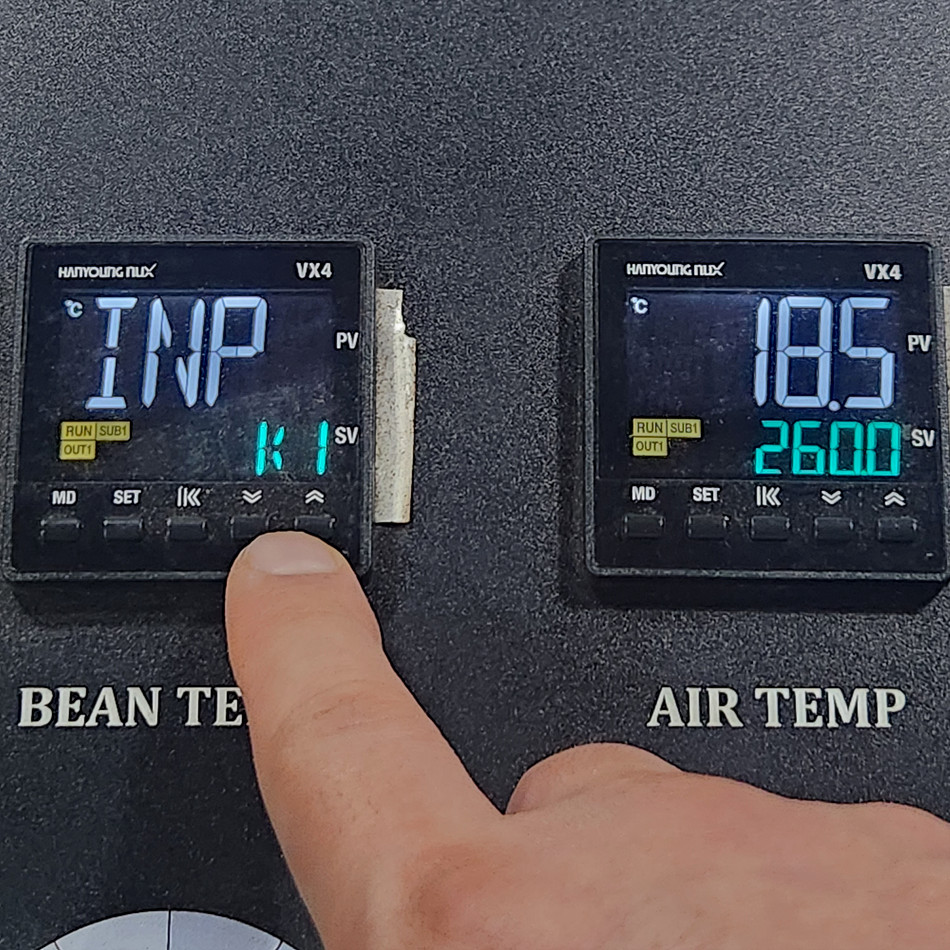
4. After saving, return to the first screen. (Hold down the MD button.)
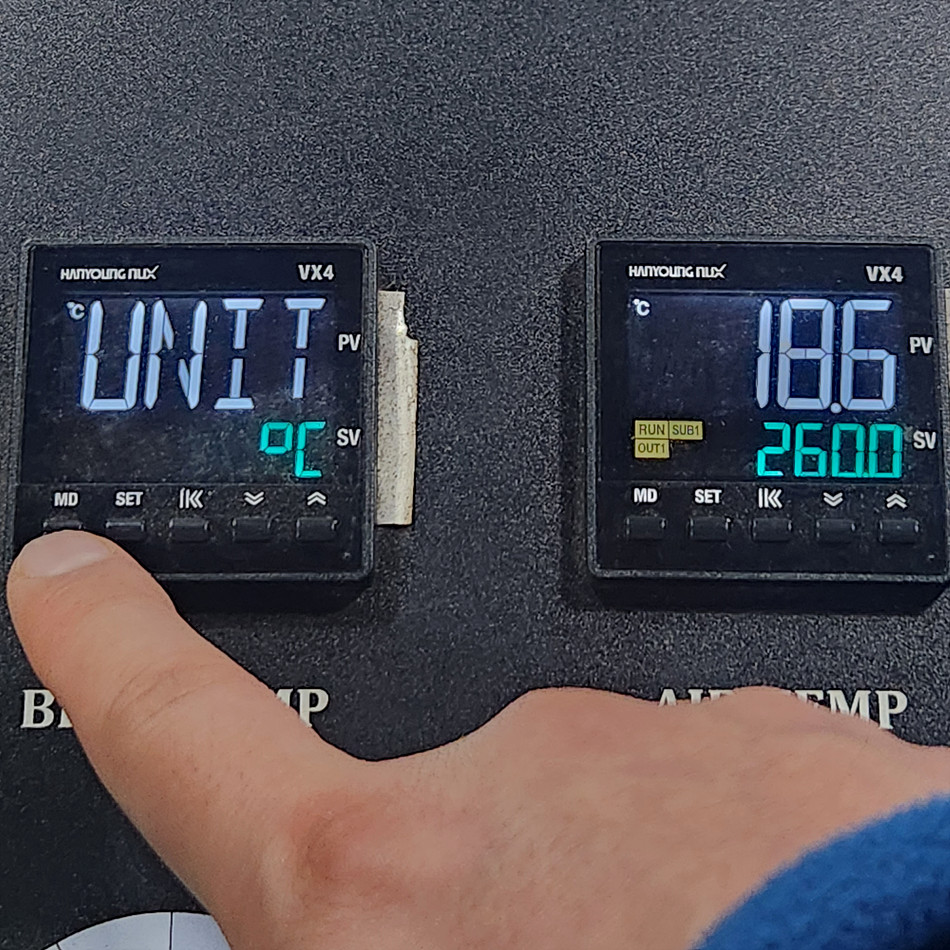
Pressing the MD button once goes back one step; holding it for 3 seconds exits parameter setting mode.
This changes the temperature increment to 0.1 degree. However, because the related settings are thrown off, ignition will not work.
Because SIEBENSTER controls its heating power electrically, you need to make corrections when related parameters are changed.
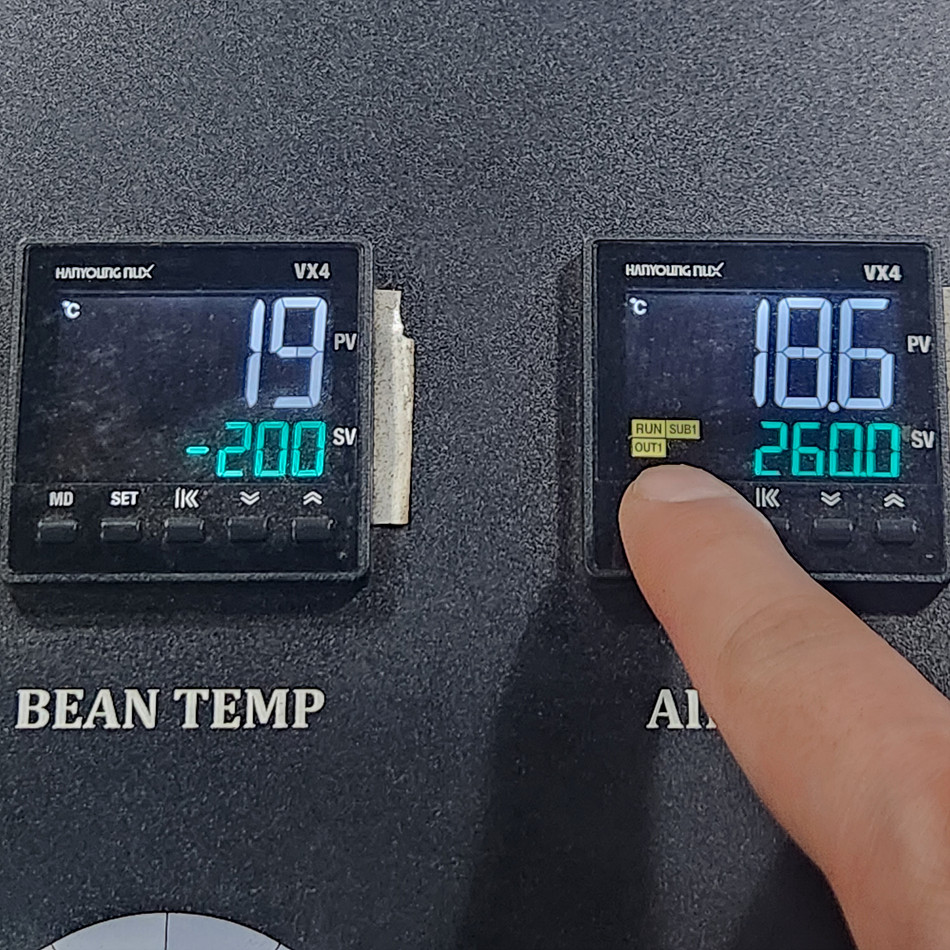
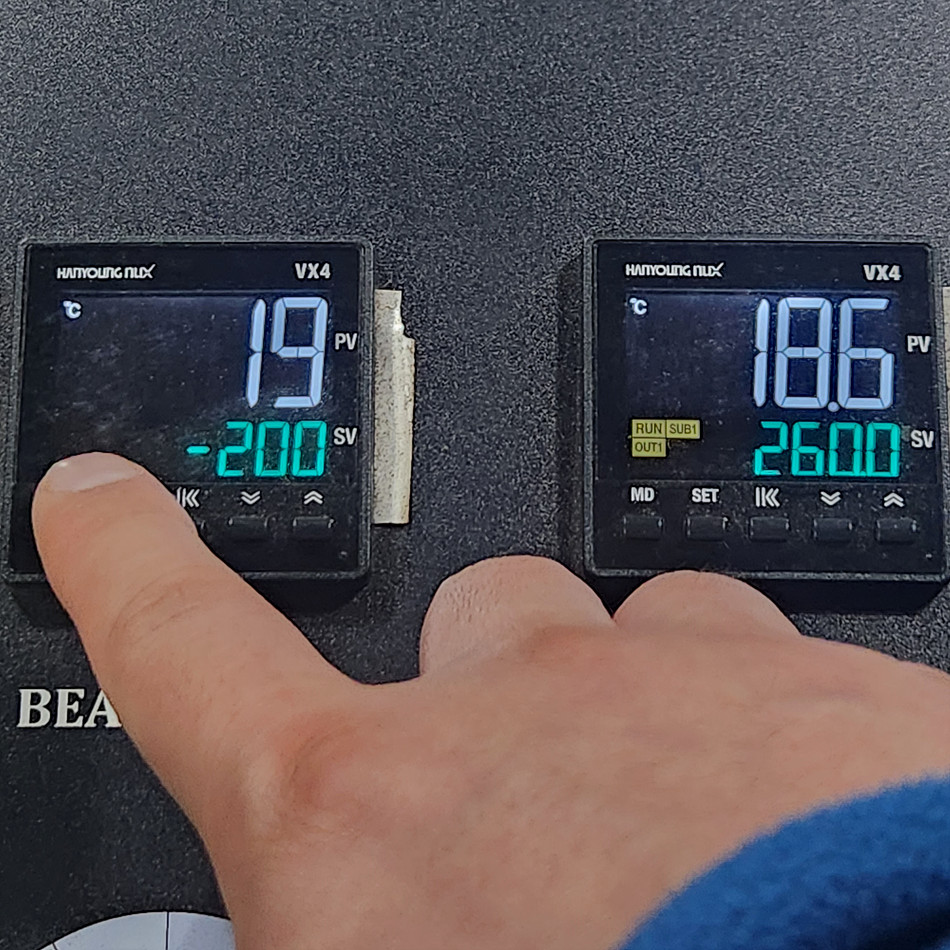
As in the photo above, when you change to 0.1 increments, the green indicator lights that were originally on go out. In this state, ignition will not work.
Correcting the Limit Temperature
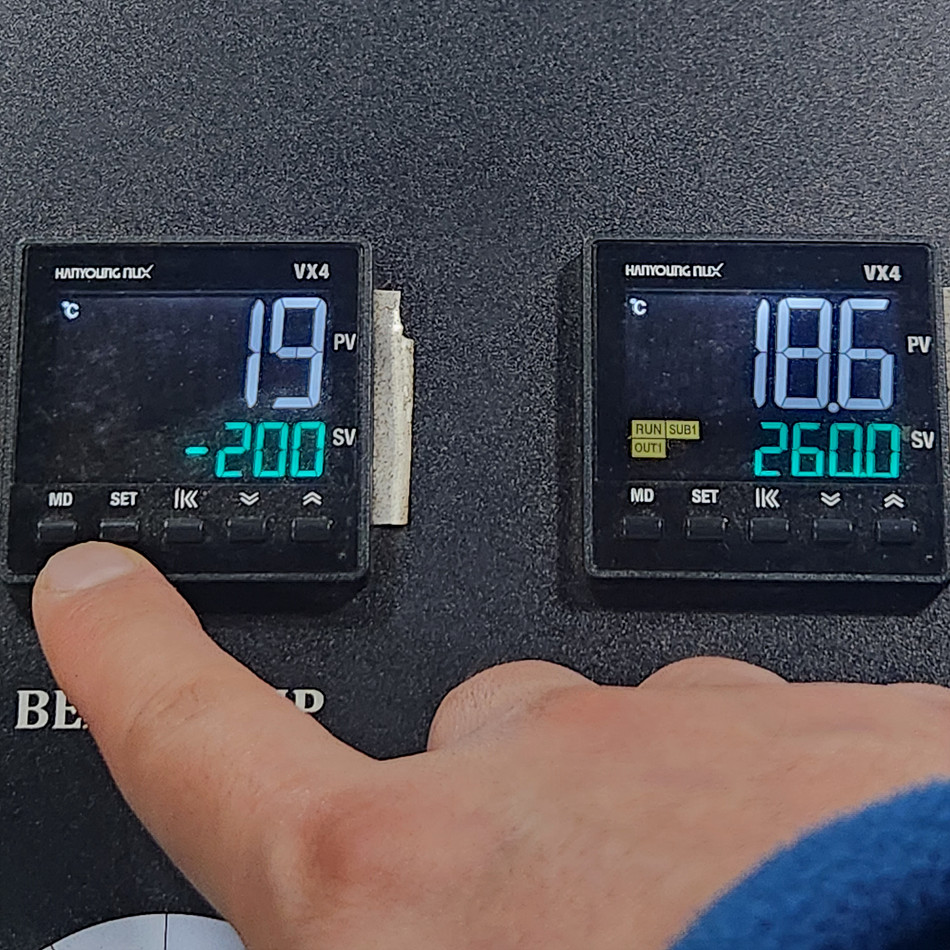
When you change the time unit of the temperature sensor, the limit temperature is displayed as a negative (-) value.
At this point, press the SET button, shift digit positions with the Switch (digit) button, and use the Up/Down buttons to change the setting back to the original limit temperature.
Correcting the Ignition-Related Parameters for the Temperature Sensor
1. Press the MD + SET buttons to enter parameter settings, and select GP03.
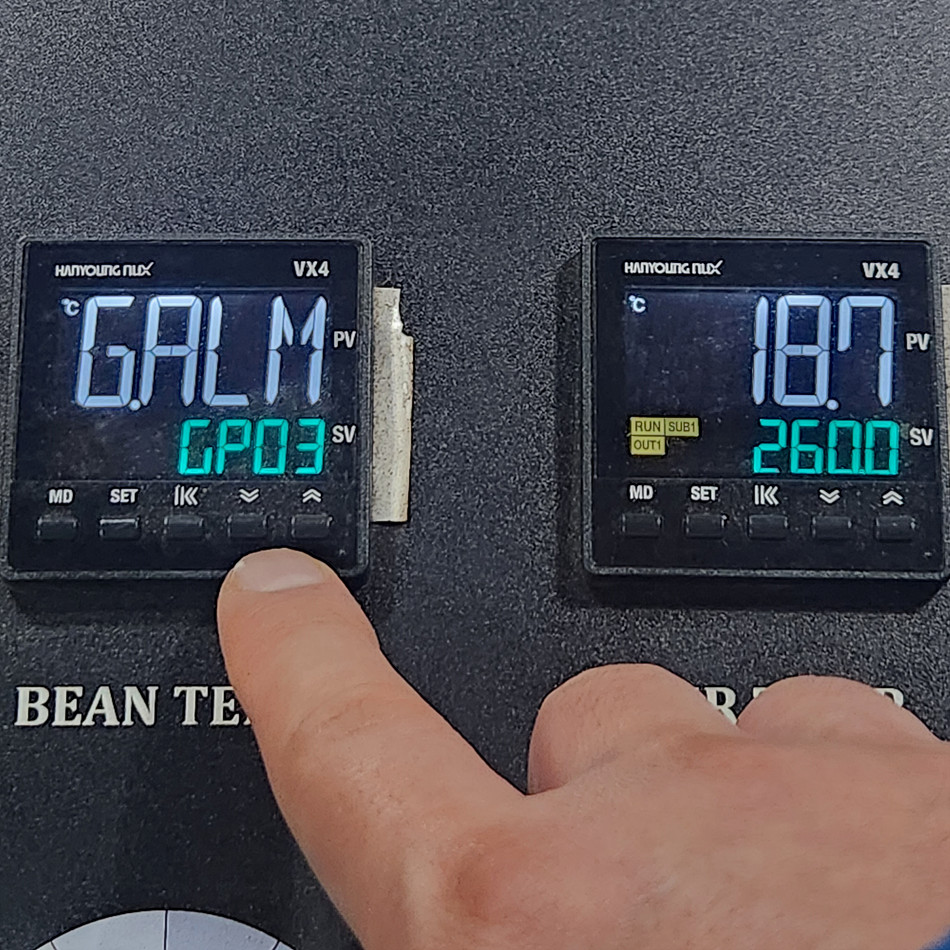
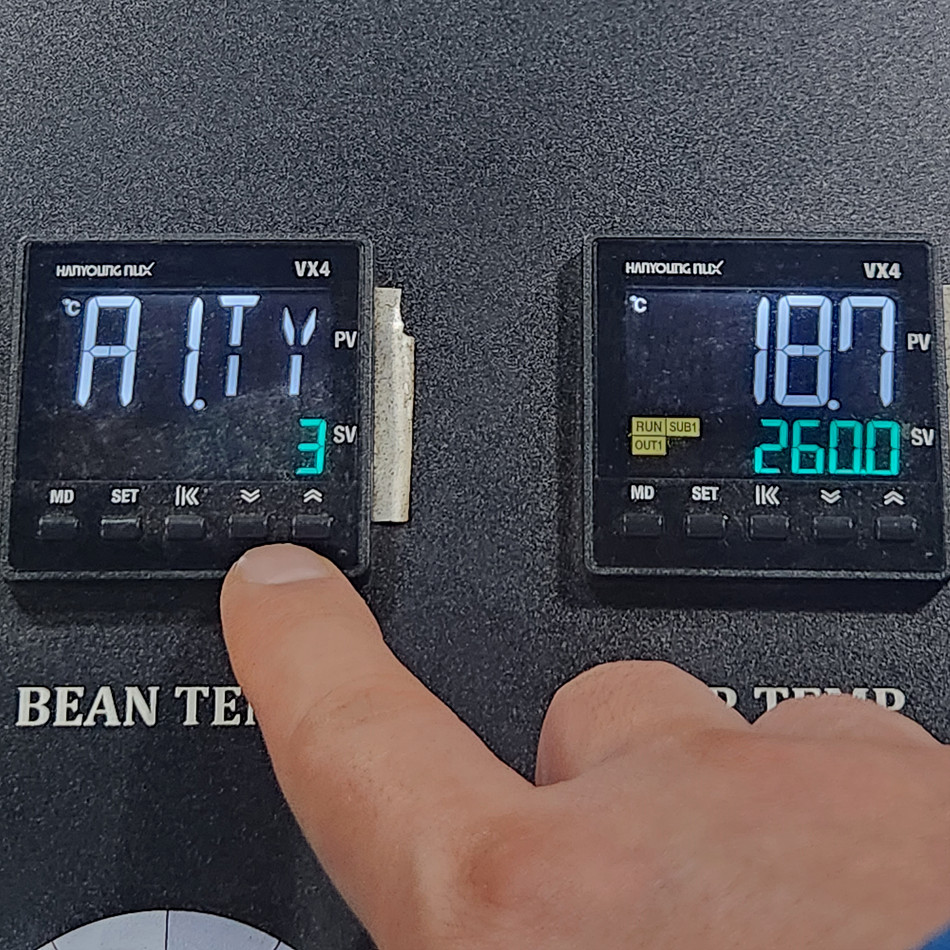
2. Press the SET button, change the value of A1.Ty from 3 to 4, and save with SET. (If it is already 4, change it to 3.)
3. Change the value of the AL-1 parameter from 1570 to 0.
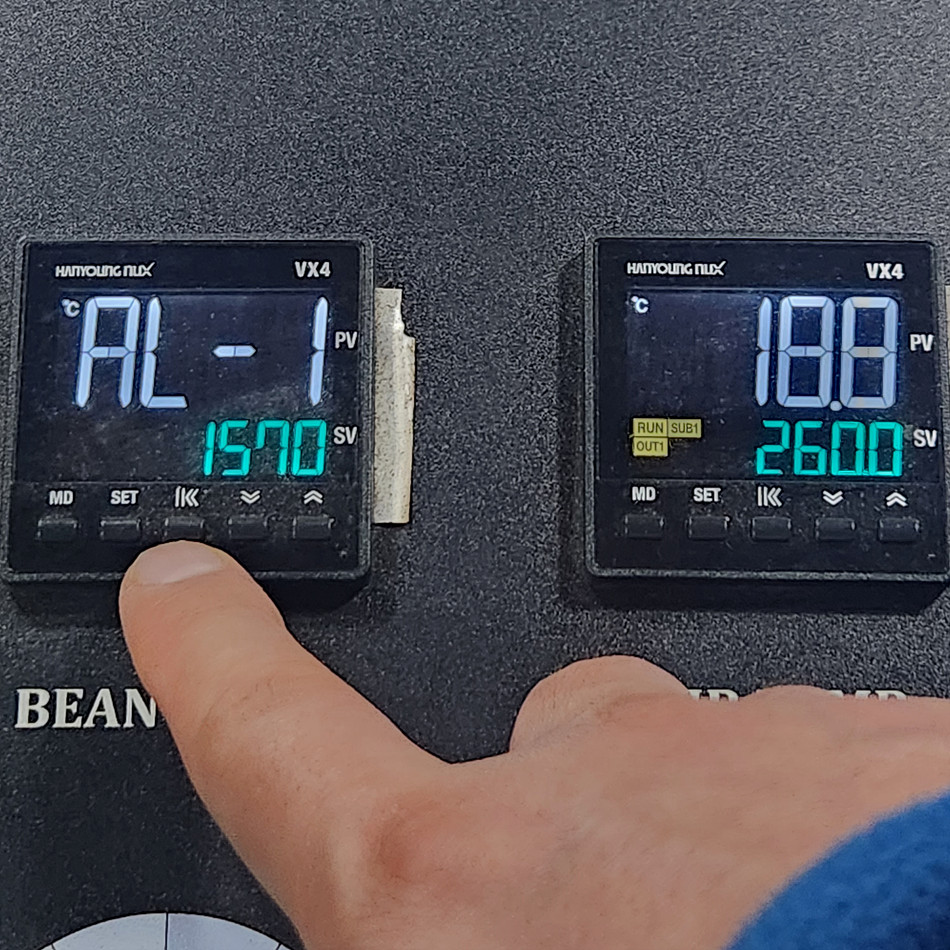
To change it, press SET so that the number blinks, move the digit position to the highest-order digit, and press the Down button; the value immediately becomes 0.
After editing, press SET to save.
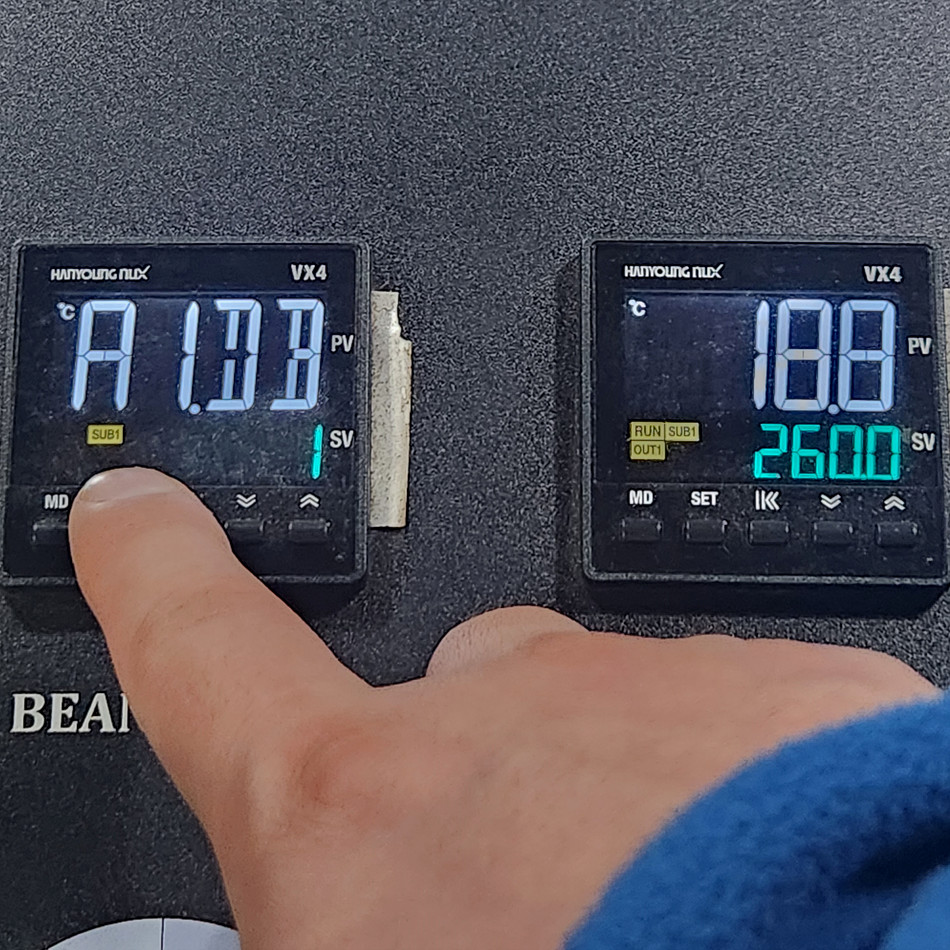
As soon as you press the SET button, you can see the green indicator for SUB1 light up.
3. Press and hold the MD button to return to the first screen, then check ignition.
How to Change from 0.1-Degree to 1-Degree Increments
Conversely, when you want to change 0.1 increments back to 1 degree, simply follow the same method.
1. Change the INP parameter in group 09 from K1 to K0,
2. Change the limit temperature setting from negative to positive, and
3. Edit the ignition-related parameters in group 03.
Artisan Settings
Although you have changed the temperature sensing unit on the roaster itself, a setting change is also needed in Artisan.
1. Go to the temperature sensor settings.
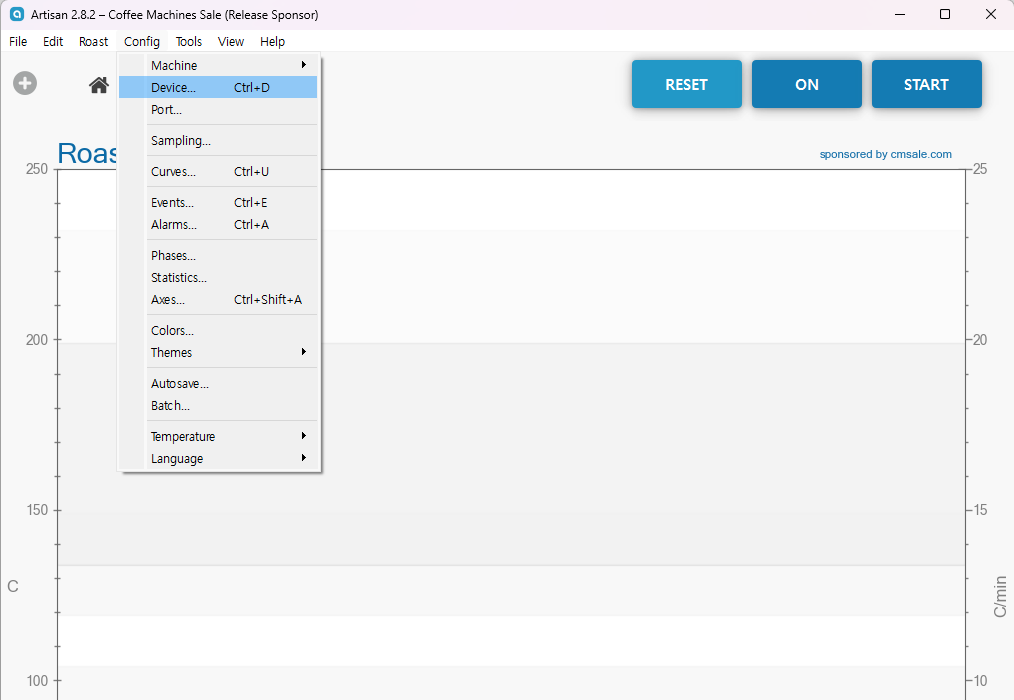
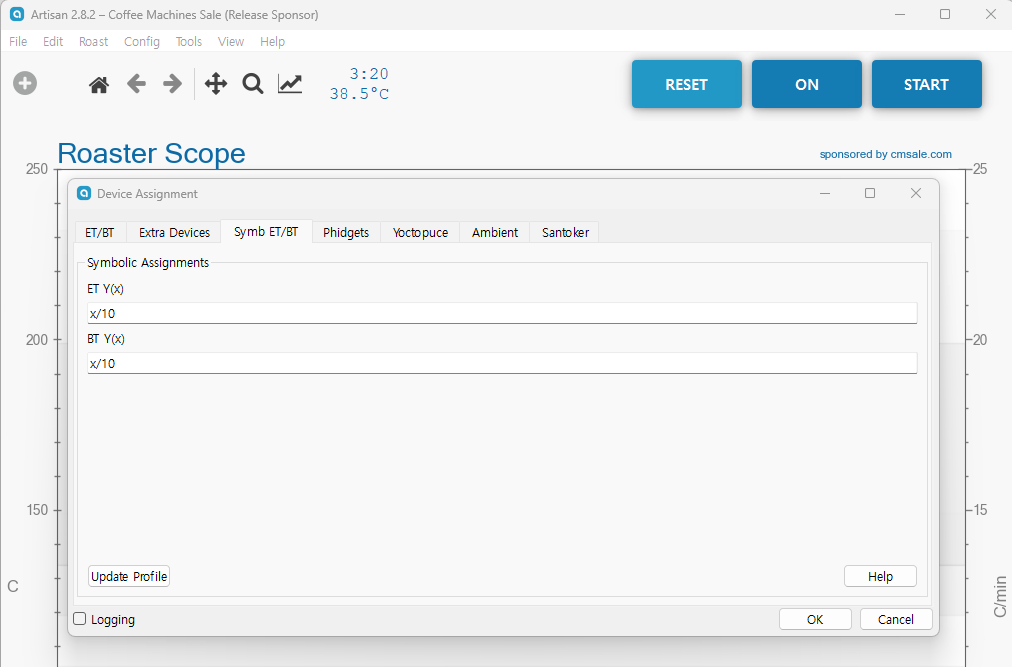
2. In the ET/BT formula, enter a formula that converts the serial communication value to 1/10.
No Comments